Screenshots


Introduction
In an age where smartphone photography has become an integral part of our daily lives, Varlens emerges as a powerful contender in the realm of mobile camera applications. Developed by Aura Marker Studio Co., Ltd., Varlens is designed to mimic the capabilities of a DSLR camera, providing users with a multitude of features that cater to both photography enthusiasts and novices alike. With its impressive array of modes, manual controls, and editing tools, Varlens aims to elevate the standard of mobile photography, allowing users to capture breathtaking images and videos directly from their smartphones.
Graphics & Gameplay
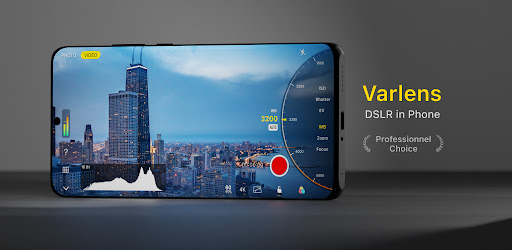
Varlens boasts a sleek and user-friendly interface that is visually appealing and intuitive. The design is clean and modern, making it easy to navigate through the various features and settings. The app's layout is optimized for both left-handed and right-handed users, ensuring comfort during use. The color palette is vibrant, with well-contrasted icons and text that enhance usability. The screenshots showcase the app's functionality, with clear displays of settings such as ISO, shutter speed, and various shooting modes. The visual representation of filters and editing tools is particularly noteworthy, highlighting the app's commitment to providing a comprehensive photography experience.
Key Features
- Five Shooting Modes: Varlens offers Auto, Time-lapse, Light Trail, Manual, and Program modes, allowing users to select the best option for their photography needs.
- Manual Controls: Users can adjust ISO, shutter speed, exposure value (EV), white balance, focus, and metering modes, giving them full creative control over their photos.
- Advanced Grid Tools: The app includes grid lines, a level indicator, histogram, zebra stripes, and focus peaking for precise framing and composition.
- Custom Filters: Varlens features classic filters and analog presets, with the ability to create self-made filters by importing 3DLUT files for unique color grading.
- Professional Editing Tools: The app includes an exclusive HSL+ tool for local color adjustments, along with a wide array of editing capabilities such as exposure, brightness, contrast, and more.
- Cinematic Video Capabilities: Varlens allows for real-time color grading while recording videos, supporting slow-motion capture at up to 120 fps and stereo audio recording.
- High-Quality Processing: The app promises non-destructive editing and high-definition output, ensuring that original images retain their quality throughout the editing process.
Mod Features
- Premium Unlocked: Gain access to all advanced features without any limitations, including exclusive filters and editing tools.
- No Ads: Enjoy an uninterrupted experience while using the app, with all advertisements removed for a smoother workflow.
- Unlimited Money: Unlock unlimited resources within the app, allowing you to experiment freely with filters and editing options without constraints.
- Enhanced Performance: Experience faster processing speeds and improved stability, making photo and video capturing more efficient.
- Exclusive Content: Access to a library of premium filters and presets that are regularly updated to keep your photography fresh and dynamic.
How to Install APK on Android
Installing the Varlens APK on your Android device is a straightforward process. Follow these steps to get started:
- Download the APK: Click the download link provided below to obtain the Varlens APK file.
- Enable Unknown Sources: Go to your device's Settings, navigate to Security, and enable the option to install apps from unknown sources.
- Locate the APK File: Use a file manager app to find the downloaded APK file in your Downloads folder.
- Install the APK: Tap on the APK file and follow the prompts to install the application on your device.
- Launch Varlens: Once installed, open the app from your app drawer and start exploring its features.
Conclusion
Varlens - DSLR in Phone is an exceptional app for photography lovers, combining advanced functionalities with user-friendly design. Whether you're a beginner looking to learn the ropes of photography or a seasoned enthusiast wanting to enhance your mobile shooting experience, Varlens provides the tools necessary to capture stunning images and videos. With its extensive features and mod capabilities, this app is a must-have for anyone serious about mobile photography.
Ready to elevate your photography game? Download Varlens now and unleash your creativity!