Screenshots

Introduction
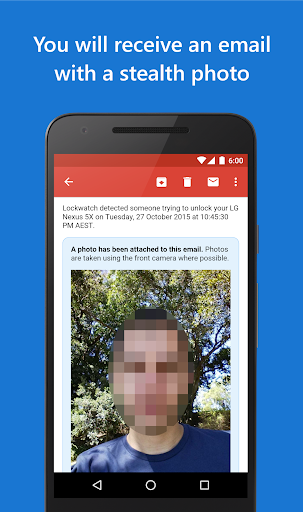
Lockwatch – Thief Catcher is a cutting-edge security application developed by BlokeTech, designed to protect your Android device from unauthorized access. The app takes stealthy action when someone attempts to unlock your phone with an incorrect code. It captures a photo using the front camera and sends it to your email, along with the GPS location of the intruder, all without their knowledge. Lockwatch also monitors SIM card swaps and alerts you if your phone is turned off while locked. With its robust features and discreet operation, Lockwatch has garnered attention for helping recover stolen phones and has been featured in various media outlets. The app is free for a 7-day trial, after which a subscription is required for continued use.
Graphics & Gameplay
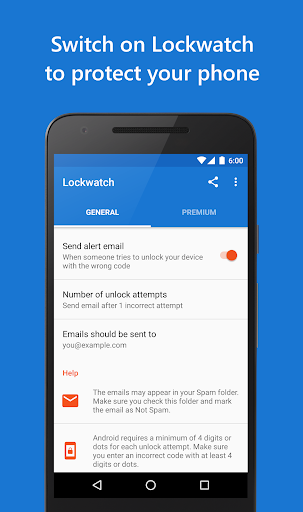
The visuals of Lockwatch are sleek and user-friendly, designed to blend seamlessly into the existing Android interface. The app's main screen is minimalistic, showcasing essential information and settings without overwhelming the user. The screenshots depict a clean layout, featuring easy-to-navigate menus that make setting up the app intuitive. The graphics emphasize functionality over flair, ensuring that users can focus on security rather than aesthetics. The app's icons and notifications are clear and concise, allowing users to promptly understand alerts and messages about unlocking attempts and other security incidents.
Key Features
- Stealth Camera Activation: Lockwatch secretly takes photos using your front camera upon failed unlock attempts, capturing the intruder's face and sending it directly to your email.
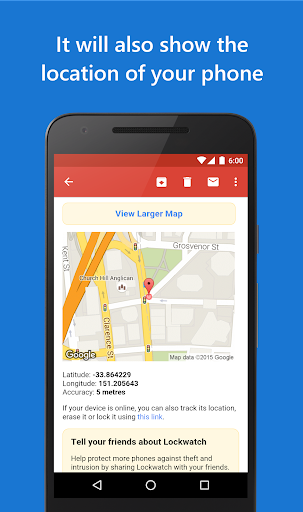
- GPS Location Tracking: Along with the photo, the app provides the GPS coordinates of the device, helping you track the location of the thief.
- SIM Card Swap Alerts: If someone swaps the SIM card, Lockwatch sends you an email with details about the new SIM, including the phone number and network provider.
- Power On Alerts: The app notifies you when your phone is turned on after being switched off while locked, potentially revealing the location of the thief.
- Multiple Photos: For each unlock attempt, Lockwatch can take multiple photos at intervals, ensuring you get a clear view of the intruder's face.
- Audio Recording: The app captures a 20-second audio clip of the surroundings, providing context to the situation when an unlock attempt occurs.
- Offline Functionality: If there is no internet connection, the app saves the data locally and sends it when a connection is re-established.
- No Advertisements: Users can enjoy an uninterrupted experience without annoying ads.
Mod Features
- Premium Unlocked: Access all advanced features without the need for a subscription, providing full functionality right from the start.
- No Ads: Enjoy an ad-free experience while using the app, allowing you to focus solely on enhancing your device's security.
- Unlimited Alerts: Receive unlimited notifications for unlock attempts, SIM swaps, and power-on alerts, ensuring you never miss an important event.
- Enhanced Photo Resolution: Capture higher quality images of intruders for better identification.
- Customizable Alert Settings: Tailor the alert parameters to your needs, choosing how and when you want to be notified.
How to Install APK on Android
Installing the Lockwatch APK on your Android device is a straightforward process. Follow these steps to get started:
- Enable Unknown Sources: Go to your device's settings, navigate to Security, and enable the option to install apps from unknown sources.
- Download the APK: Visit the official Lockwatch download page at this link and download the APK file to your device.
- Locate the File: Open your file manager, navigate to the 'Downloads' folder, and find the Lockwatch APK file.
- Install the App: Tap on the APK file, and follow the on-screen instructions to install Lockwatch on your device.
- Set Up the App: Once installed, open Lockwatch and configure the settings according to your preferences. Make sure to set your email for receiving alerts.
Call to Action
Don't leave your device's security to chance. Download Lockwatch – Thief Catcher today and take the first step toward protecting your valuable information and privacy. Visit this link to download the app and start your 7-day free trial!