Screenshots


Introduction
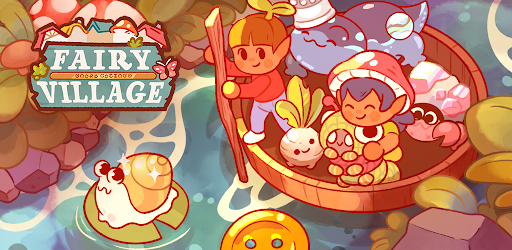
Fairy Village is an enchanting simulation game developed by HyperBeard that invites players into a whimsical world filled with magical creatures known as thumblings. These tiny, cute beings are on a quest to find their perfect home, and players are tasked with helping them settle in the idyllic Fae Forest. With a blend of village-building mechanics, exploration, and adventure, Fairy Village offers a unique gaming experience that caters to both casual gamers and avid simulation enthusiasts.
Graphics & Gameplay
The visuals of Fairy Village are nothing short of captivating. The game features a vibrant color palette that immerses players in a lush, fairy-tale environment. The graphics highlight the charm of the thumblings, showcasing their adorable designs and unique personalities. Players will find themselves enchanted by the detailed animations and scenic backgrounds that bring the Fae Forest to life.
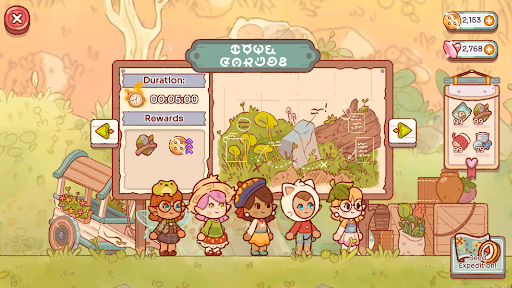
From the screenshots, we can see various elements of the gameplay. Players can build and customize homes for their thumblings, expand their quaint village, and decorate it with a plethora of whimsical items. The interface is user-friendly, allowing for smooth navigation through building, decorating, and adventuring. Each thumbling has its own distinct look, complete with customizable hairstyles and clothing, enhancing the personal connection players can develop with their characters.
The gameplay revolves around exploration and resource management. Players will send their thumblings on expeditions to collect treasures and resources, which can be used to upgrade their village. The strategic aspect comes into play as players must choose the right thumblings for each mission, based on their unique skills and abilities. This adds an engaging layer of depth to the overall experience.
Key Features
- Village Building: Create a magical village by constructing homes and facilities for the thumblings. Expansion is key to accommodate an ever-growing community.
- Adventurous Expeditions: Set out on quests with your thumblings, exploring new destinations, and bringing back treasures that will help your village thrive.
- Customization Options: Personalize your thumblings with a variety of outfits, hairstyles, and accessories. Design your village with unique decorations and customizable houses.
- Resource Management: Collect and utilize resources from expeditions to enhance your village, ensuring it remains a perfectly magical home for your thumblings.
- Unique Characters: Each thumbling comes with its own set of skills and characteristics, which players must leverage to succeed in their adventures.
Mod Features
For those looking for an enhanced experience, various mods can elevate your gameplay in Fairy Village. Some potential mod features include:
- Premium Unlocked: Gain access to all premium features without the need for in-app purchases, allowing for an uninterrupted gaming experience.
- No Ads: Enjoy seamless gameplay without interruptions from advertisements, letting you focus on building and exploration.
- Unlimited Money: With unlimited resources at your disposal, you can build and customize your village without any constraints, making it easier to expand and improve your magical community.
How to Install APK on Android
Installing the APK for Fairy Village on your Android device is a straightforward process. Here’s a step-by-step guide to get you started:
- Enable Unknown Sources: Go to your device's settings, navigate to ‘Security’, and enable ‘Install from Unknown Sources’ to allow installations from sources other than the Google Play Store.
- Download the APK: Click on the download link provided below to download the Fairy Village APK file.
- Locate the APK File: Once the download is complete, open your file manager and find the downloaded APK file in your ‘Downloads’ folder.
- Install the APK: Tap on the APK file and follow the on-screen instructions to install Fairy Village on your device.
- Open the Game: After installation, locate the Fairy Village icon on your home screen or app drawer and tap to start your magical adventure!
By following these simple steps, you’ll be ready to embark on your journey in Fairy Village, welcoming thumblings into your community and helping them thrive!
Download Fairy Village Now!
Are you ready to create your own magical world and help the adorable thumblings find their home? Download Fairy Village today and start building your enchanting village! Click the link below to get started: